
Product files
Meet Optivise:
from the catalogue you already have
Files in, files out — no PIM, no IT integration.
Optimisation engine
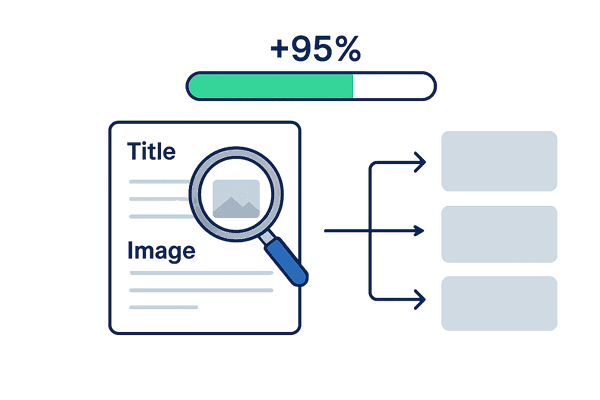
How does Optivise enhance product listings instantly?
Optivise detects incomplete product data, then auto-fills missing specs, images, and attributes using real-time buyer search insights and marketplace-specific rules. Sellers typically see 95%+ facet completion within seconds. If a value cannot be inferred, it is flagged — never invented.
- Detect and flag incomplete data
- Auto-fill missing specs and images
- Apply marketplace-specific optimisation rules
Efficiency & scale
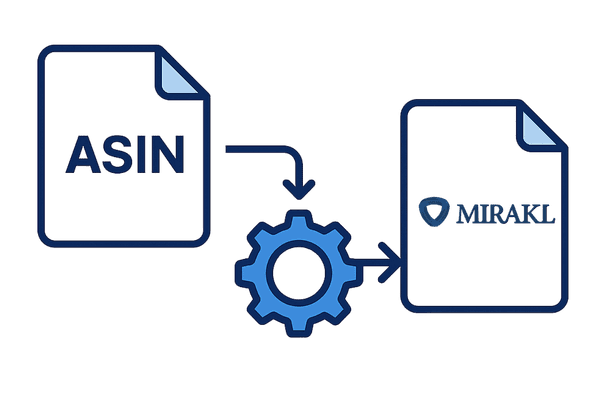
How do I convert Amazon ASINs to Mirakl product feeds?
Optivise transforms Amazon ASIN metadata into fully structured, Mirakl-compliant product feeds in seconds — parsing attributes, validating fields, and eliminating manual data handling for rapid marketplace onboarding.
- Parse ASIN data into listing attributes
- Validate and format every field
- Eliminate manual data handling entirely
Seamless onboarding
How does Optivise handle regional legal compliance?
Optivise automatically applies region-specific legal defaults — UK safety information, EU measurements, local labelling standards — ensuring every listing is compliant without guesswork. It never invents data.
- Pre-fill UK-compliant safety information
- Include all required regional measurements
- We never invent product data

Copy
How does Optivise craft high-converting product copy?
Optivise generates brand-aligned product titles and descriptions in seconds by embedding live buyer search terms. FNX Bathrooms saw +9% conversion with Optivise-optimised listings.
- Craft copy in your brand voice
- Embed live search terms seamlessly
- FNX Bathrooms: +9% conversion

Content optimisation
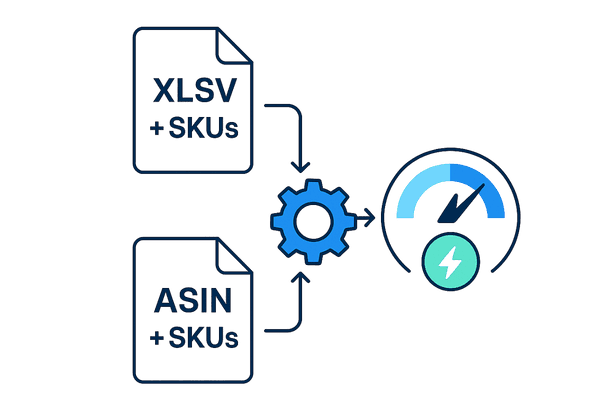
How many SKUs can Optivise process at once?
Optivise processes thousands of SKUs in minutes. Upload bulk ASIN lists or CSVs and get every product optimised — FNX Bathrooms processed 1,800 SKUs in a single morning.
- Process bulk uploads at speed
- Scale to any volume
- Output ready-to-upload marketplace files
Speed to market
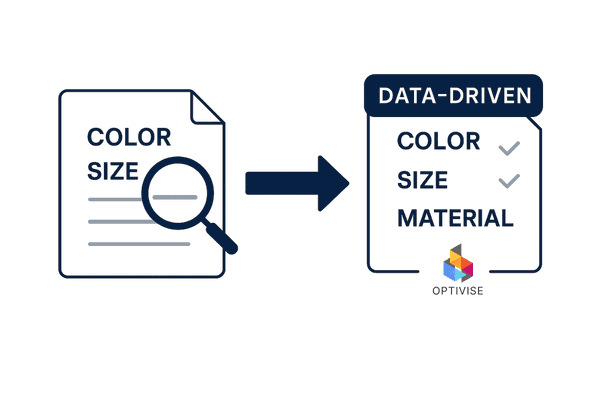
How does Optivise auto-fill missing product facets?
Optivise detects every facet gap and auto-populates them using data-driven rules tailored to each marketplace's taxonomy. Sellers typically achieve 95%+ facet completion. Gaps that cannot be inferred are flagged, not invented.
- Detect and fill all facet gaps
- Apply precise marketplace taxonomy rules
- Flag what cannot be inferred
Export
What format does Optivise export listings in?
Optivise creates error-free, Mirakl-ready CSV listing files instantly. No manual reformatting or cleanup needed — download and upload to any supported Mirakl marketplace yourself.
- Produce compliant CSV files instantly
- Support all Mirakl-powered marketplaces automatically
- You upload the file in your own back office
How does Optivise ensure data accuracy and compliance?
Optivise helps you go live faster — without risking compliance or trust.
We keep listings safe and compliant
Extract data from images and specs
Assume legal standards by region
Convert units and formats automatically
Use keyword data for accuracy
Legislation-aware logic
What our customers are saying
Hear directly from sellers who have used Optivise on Mirakl marketplaces.
"Since using Optivise we've seen a clear uplift in sales volume. The improved data quality means our products are ranking higher and converting better. It's like we've unlocked a new level of visibility without spending more on ads."
"Optivise has completely transformed a previously tedious and time-consuming process into something streamlined, efficient, and intelligent. It's saved us hours and allowed us to go to market faster, with better data."
How does Optivise compare to manual listing optimisation?
Which Mirakl marketplaces does Optivise support?
Optivise has built-in rules and taxonomy support for the following Mirakl-powered marketplaces. We can onboard any additional Mirakl marketplace on demand.
Ready to start? View pricing plans →
Features FAQ
Have more questions? Visit our FAQ · Browse our blog